How to Find Leads on Twitter (X)
A practical guide to finding leads on Twitter (X) by spotting real buyer intent: exact search queries, advanced search operators, competitor monitoring, and a manual-to-automated workflow. No ads, no follower farming.
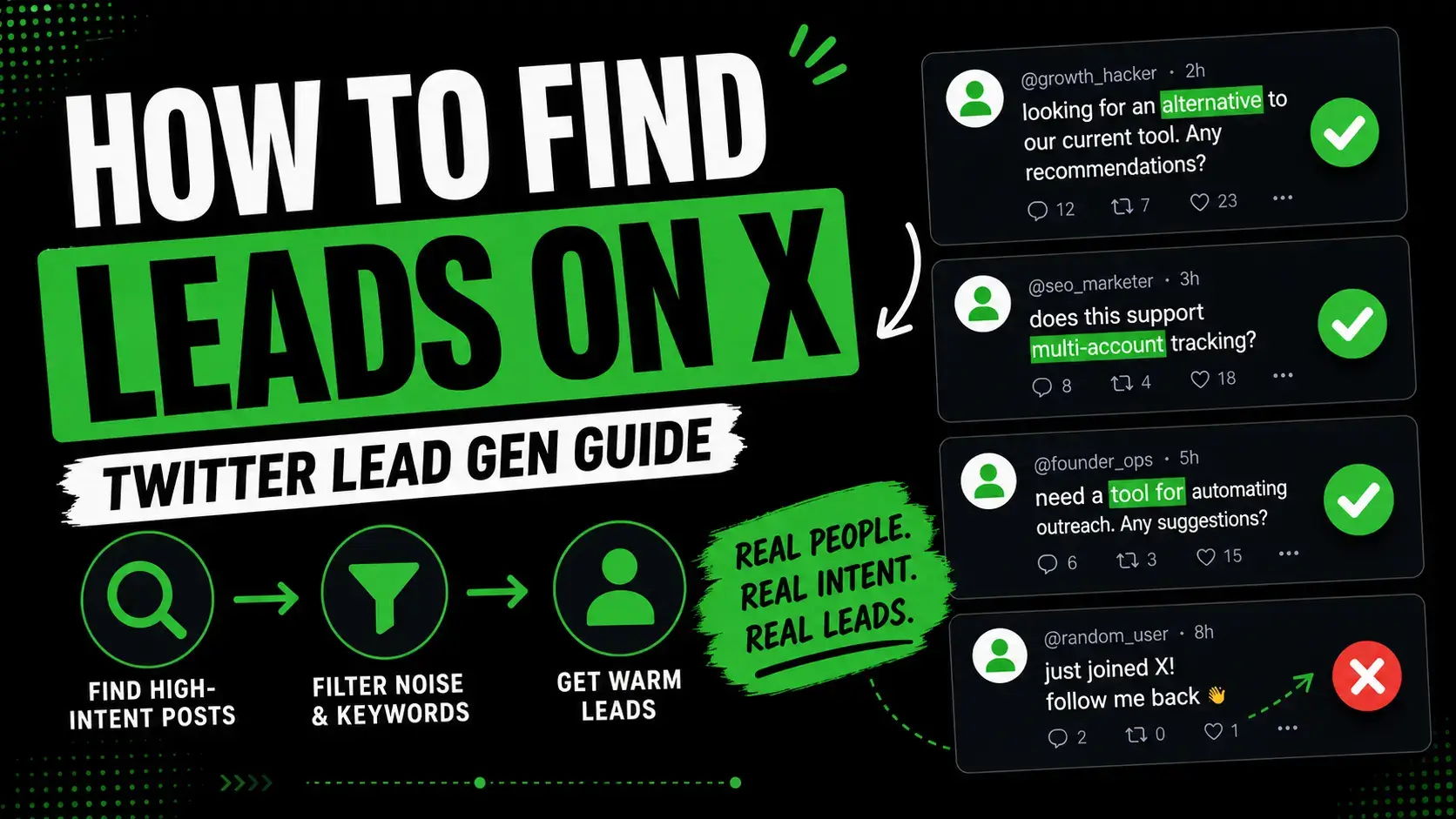
Quick Answer
The fastest way to find leads on Twitter (X) is to stop posting and start searching. Use X advanced search operators to surface posts where people ask for tools, alternatives, or describe the exact pain your product solves - then reply with something useful before sending a link.
A second underrated source: open the comment threads of viral competitor posts, product launch announcements, and promo threads. Commenters asking "is there a free version", "does it integrate with X", or "looking for an alternative" are warm leads who already understand the category.
Leadverse automates both: it monitors X for buying-intent posts and tracks competitor accounts to surface viral product launch and promo posts so you can reply to engaged commenters while the conversation is still live.
Why Finding Leads on X Is Different From Reddit or LinkedIn
X is the fastest social platform for B2B and prosumer buying signals. Posts are short, public, and timestamped, and the conversation can move from question to reply in minutes.
That speed is also the problem. Posts are short on context, the timeline buries them quickly, and most lead-gen advice for X is still about followers, hashtags, and posting more. None of that helps you find someone who is asking for your product right now.
| Platform | Strength | Weakness for lead gen |
|---|---|---|
| Long-form context, niche subreddits, clear problem language | Slower, strict self-promo rules, posts can be hours old before you see them | |
| Firmographics, role and company data, professional context | Less raw problem language, more polished posts, slower replies | |
| X (Twitter) | Real-time, public, short-form, fast replies, viral comment threads | Short context, noisy timeline, intent must be inferred quickly |
Where Buyer Intent Actually Lives on X
Most lead-gen guides tell you to "engage with your audience". That is vague. On X, real buying intent shows up in five concrete places:
- Direct tool requests: "anyone know a tool for [workflow]"
- Alternative searches: "looking for an alternative to [competitor]"
- Pain and frustration posts: "tired of doing [task] manually every week"
- Replies to competitor accounts: complaints, support questions, switching threats
- Comments under viral posts: hand-raisers under product launches, promos, and threads in your category
Replies and quote tweets are usually higher intent than top-level posts because the person is reacting to something specific. Top-level posts are useful when they include problem language and a question.
What Real X Buyer Intent Looks Like (vs Noise)
Most X "leads" lists are full of mentions, not intent. A mention is someone who used a keyword. Intent is someone who described a problem, asked a question, or compared options.
| Post | Lead Quality | Why |
|---|---|---|
| "Anyone know a tool that does X without Zapier?" | High | Specific tool request with constraint |
| "Looking for an alternative to [competitor], cheaper if possible" | High | Active alternative search and budget signal |
| "Tired of manually exporting CSVs every Monday" | High | Pain plus existing manual workaround |
| "What do you all use for [workflow]?" | Medium | Open question, may convert with a useful reply |
| "Just shipped v2 of our app, check it out" | None | They are promoting their own product |
| "Hot take: nobody actually needs another CRM" | None | Opinion content, not a buying signal |
If you can answer the question "what does this person want next?" in a sentence, it is probably a lead. If you cannot, it is probably noise.
Exact X Search Queries to Find Leads
Build your first X search list from phrases people use before they know your product exists. Search recent results first, then save phrases that consistently surface real conversations.
"anyone know a tool for"
"looking for a tool to"
"is there a tool that"
"recommend a tool for"
"alternative to [competitor]"
"cheaper alternative to [competitor]"
"switching from [competitor]"
"what do you all use for"
"tired of doing this manually"
"how do I automate"
"is there a free version of"
"does anyone have a workflow for"
"looking to hire a [role]"
"looking for a [service] agency"
"anyone available for [task]"
Replace the bracketed terms with your competitor names, the workflow your product replaces, the role you serve, or the pain you remove.
X Advanced Search Operators for B2B Lead Generation
X advanced search is the most underused free tool for finding leads. Layering operators on top of the phrases above filters out noise and surfaces only posts worth replying to.
"alternative to [competitor]" min_faves:5 lang:en
"looking for a tool" min_replies:2 -filter:replies
"tired of doing this manually" since:2026-04-01
"recommend a tool for" -filter:retweets lang:en
"switching from [competitor]" min_faves:3
("anyone know" OR "is there a tool") "AI" -filter:retweets
to:[competitorhandle] ("alternative" OR "switching" OR "cancel")
from:[competitorhandle] filter:replies (open the replies tab to read complaints)
"is there a free version of [competitor]"
"does [competitor] have" min_replies:1
Combine 3 to 5 of these into saved search tabs in your browser. Refresh once or twice a day. Reply within hours, not days.
Find Leads in Your Competitors Viral X Posts
This is the angle most X lead-gen guides miss completely. When a competitor posts a launch, a feature announcement, a promo, or a thread that goes viral, the comment section fills up with people raising their hand.
Those commenters are not random. They follow your category, they reacted strongly enough to comment, and they often ask the kind of questions that reveal active evaluation:
- "Is there a free tier?"
- "Does it integrate with [tool]?"
- "How is this different from [other competitor]?"
- "Looking for something like this for [use case]"
- "Can I get early access?"
- "Cancelled my [other product] subscription, trying this next"
Each of those comments is a warm lead. They already understand the problem and the category. They are not looking for education, they are comparing options.
| Comment under competitor post | Lead Quality | Why |
|---|---|---|
| Comment: "Looks great - is there a free tier?" | High | Pricing concern, ready to compare alternatives |
| Comment: "Does it integrate with [tool]?" | High | Evaluating fit, raising a real objection |
| Comment: "Been waiting for this!" | Medium | Strong category interest, qualify before pitching |
| Comment: "Can I get an invite?" | High | Active hand-raise, willing to try |
| Comment: "How is this different from [other competitor]?" | High | Comparing options, in evaluation mode |
| Comment: "First!" or generic emoji | None | Engagement noise, no signal |
Reply with a useful answer first. If the comment was a question, answer it honestly even if the answer is partly about your competitor. Then mention your product only if it fits the exact ask: "If you specifically need [missing feature], we built [your product] for that. Happy to share more if useful."
Track Competitor Launches and Promo Posts on X
The hard part is finding the viral competitor posts in the first place. Scrolling 10 competitor profiles every day does not scale.
A simple tracking system works:
- List 10 to 20 competitor accounts and adjacent category accounts.
- Check each account once or twice a week for posts with unusually high engagement (50+ replies or 200+ likes is a strong signal in B2B SaaS).
- Open the comment thread of every high-engagement post.
- Tag commenters who asked questions, raised objections, requested features, or said they were comparing options.
- Reply or DM within 24 hours, while the post is still being read.
Look specifically for these post types - they consistently produce the best comment-thread leads:
- Product launch announcements ("we just shipped X")
- Public roadmap posts and feature polls
- Promo or discount threads ("limited time" / "lifetime deal")
- Founder story threads that go viral in your niche
- Comparison posts ("we built X because Y was missing in [competitor]")
- Pricing change announcements (always full of unhappy users)
Pricing change posts and feature announcements that miss obvious requests are the highest-yield. Both surface users who are openly evaluating alternatives.
Leadverse runs this loop automatically. The free X competitor finder lets you map competitor accounts in your category, and the paid product monitors their posts, ranks viral threads, and surfaces commenters with intent signals into one inbox.
Find leads on X from real buying-intent posts
Leadverse monitors X, Reddit, LinkedIn, and supported public sources for people asking for tools, alternatives, recommendations, and competitor replacements - plus viral competitor posts where commenters raise their hand.
No charge today - Cancel anytime
A 5-Step Manual Workflow to Find Leads on X
Before automating anything, run the manual workflow for a week. You will learn which phrases, operators, and competitor accounts produce the best signal in your niche.
- Pick 5 problem phrases and 3 competitor names. Build 8 saved searches that combine them with min_faves:3 and lang:en.
- Pick 10 competitor accounts. Open each profile once a day and skim the most-engaged posts from the last 48 hours.
- For every promising post or comment, save it: link, author handle, intent type, suggested reply.
- Reply publicly first with something useful. Only DM if the public reply gets no traction or if the conversation needs context that does not fit a tweet.
- After a week, count which phrase, operator, and competitor account produced the most real conversations. Double down on those, drop the rest.
Good vs Bad X Lead Opportunities
| Example Post | Intent | Should You Reply? | Why |
|---|---|---|---|
| "Anyone using a tool that auto-replies to support tickets with AI?" | Tool request | Yes | Specific category, current need |
| "Switching from [competitor] - what are people using instead?" | Alternative search | Yes | Switching intent and category awareness |
| "Is there a free version of [competitor]?" | Pricing-driven alternative | Yes | Budget-driven, ready to evaluate |
| "Big news soon" | Hype | No | No problem, no request |
| "What do you think of [hot topic]?" | Opinion poll | No | Discourse, not buying intent |
| "We hit $1M ARR" | Milestone post | No | They are selling a story, not buying |
Strong X leads usually contain at least two of these: a specific tool or workflow, a competitor name, a budget or pricing concern, a deadline, or a clear question. Weak posts contain only a category keyword or general opinion.
Why Follower Count Is the Wrong Metric for X Lead Gen
Most "grow on X" advice assumes leads come from people seeing your posts. For inbound that is partly true. For outbound, followers do not matter.
What actually matters when you reply to a stranger on X is:
- Profile bio that clearly states what you build and for whom
- A pinned post that proves you understand the problem
- A few recent posts on the topic so you do not look like a spam account
- A real photo and a real name
- A reply that answers the question first, before mentioning your product
With those five in place, a 200-follower account can convert leads at the same rate as a 50,000-follower account. Without them, no follower count saves a cold pitch.
How to Reply and DM on X Without Sounding Spammy
The fastest way to burn a lead on X is to reply with a link. The best replies look like a useful answer from a peer, not a sales pitch.
Bad reply:
We do exactly this. Try it: leadverse.ai
Better reply:
The fastest fix is to stop searching by keyword and start searching by intent phrase - so instead of "[your category]" try "alternative to [competitor]" with min_faves:5. That cuts most of the noise without any tool.
Then mention your product only if it clearly fits:
If you want this monitored automatically across X and Reddit, that is what I am building at Leadverse - happy to share more if useful.
For DMs, never include a link in the first message. Open with a one-line reference to their post and a curiosity hook:
Hey, saw your post about [their problem]. There is actually a workflow that solves this in about 10 minutes a day - want me to break it down?
Wait for them to reply. When they do, send the link or the longer explanation. This link-after-reply pattern consistently outperforms direct first-message pitches.
X Lead Gen Workflows by Role
The same X surface looks different depending on what you sell. The intent signals shift, and so does the right next step.
| Role | What to look for on X | Best next step |
|---|---|---|
| SaaS founder | Tool requests, alternative searches, manual workflow complaints | Reply with the answer first, mention your product only if it fits the exact use case |
| Agency / service provider | Hiring posts, "looking for an agency", complaint posts about current vendor | Reply with a specific tactical insight, then offer an audit or short call |
| Freelancer | Posts asking for help, scope-specific gigs, "anyone available for [task]" | Reply publicly with a partial solution, then DM with availability and rate range |
| Consultant | Strategy questions, "how would you approach this", role-specific pain | Lead with frameworks and examples, position the call as a structured conversation |
Whatever your role, the rule stays the same: find a public problem, reply with a real answer, and mention your offer only after the conversation is alive.
Why Manual X Searching Does Not Scale
Manual X searching works for the first week. After that it gets brittle.
- X buries posts within hours, so fresh intent is easy to miss
- Saved searches return high-volume keyword matches, not high-intent posts
- Reading every viral competitor thread by hand is unrealistic past 5 to 10 accounts
- You cannot rank posts by intent and fit at the same time
- Reply windows are short - by day two the post is dead
- Switching between intent searches, competitor profiles, and DMs eats hours
The goal is not another search habit. The goal is a ranked inbox of X conversations that are worth replying to today.
How Leadverse Automates Finding Leads on X
Leadverse turns this whole workflow into one inbox. You describe the type of leads you want to find, then Leadverse monitors X for buying-intent posts and tracks competitor accounts for viral posts where commenters are raising their hand.
For example:
Find people on X who are asking for tools that automate client reporting, looking for alternatives to [competitor], or commenting on [competitor] launch posts and promo threads.
Leadverse then:
- monitors X in near real time for posts matching your intent phrases
- tracks competitor accounts and surfaces viral posts (launches, promos, pricing changes, feature announcements)
- opens the comment threads of those viral posts and detects hand-raisers, comparison questions, and feature requests
- filters out launch noise, hot takes, and pure brand mentions
- scores each post and comment by intent and fit
- shows strong and partial matches in one ranked inbox
- helps you reply or DM while the conversation is still fresh
- supports outreach workflows where the first message starts a conversation instead of dropping a link
You can try it free with the X leads finder for intent posts and the X competitor finder for competitor mapping. Or start a full trial from Leadverse.
For SaaS founders specifically, pair this with the longer playbook in How to Find Users for Your SaaS.
FAQ
Final Thoughts
Finding leads on X is not a posting problem, it is a search problem. The people who will buy from you next month are already typing the question on X today. They are asking for tools, comparing competitors, complaining about manual work, and commenting under viral product launches.
Use X advanced search to find them. Track your competitors viral posts to find the ones already in evaluation mode. Reply with something useful before you mention your product. And when manual searching stops scaling, automate the inbox.